Building Sudoku Terminal
My girlfriend loves the NYT Sudoku. Plays it almost every day. But she wanted more puzzles without needing a subscription, so I built her one.
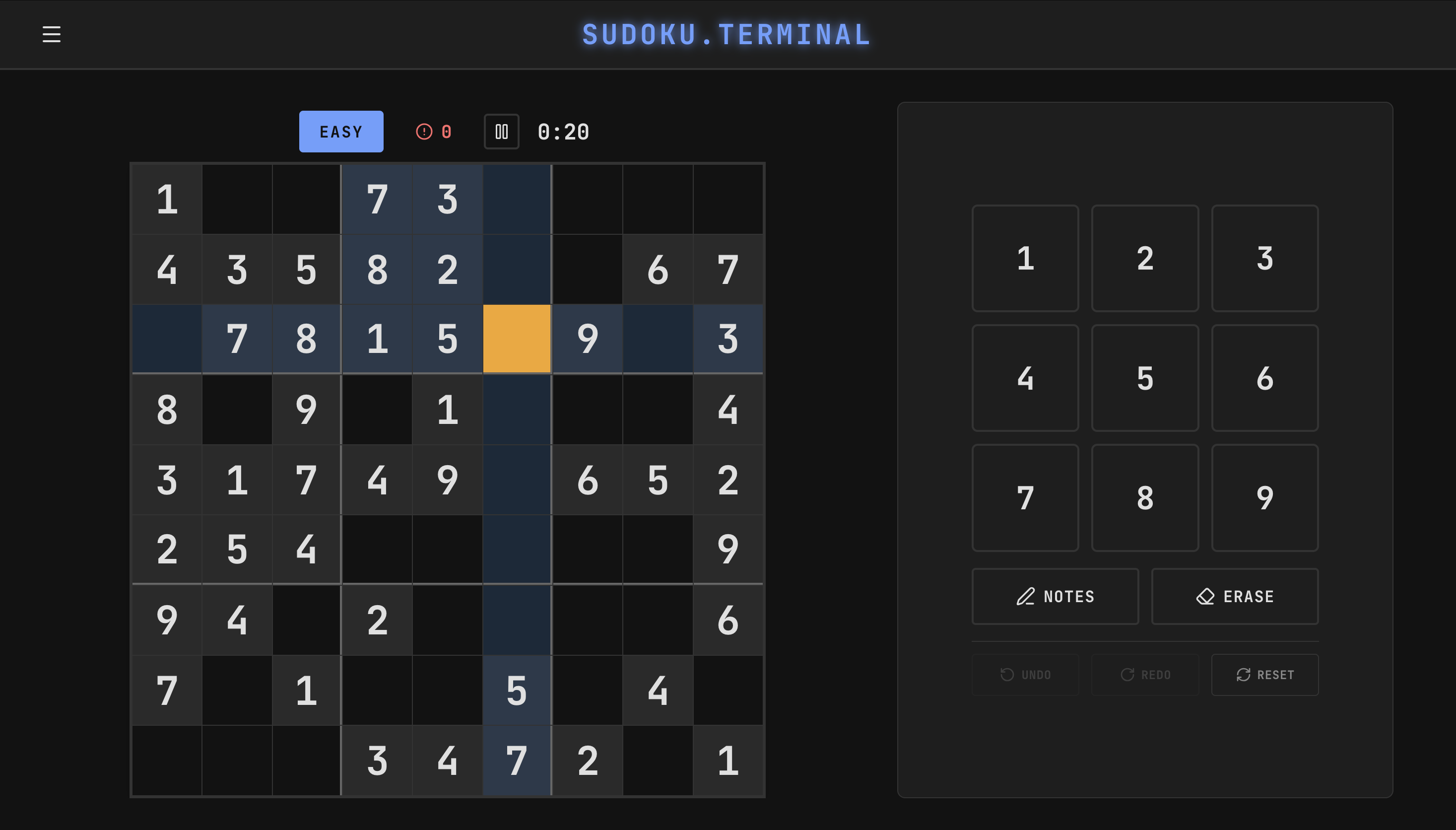
The whole thing took a weekend. I used Claude for almost all of it.
The Stack
I wanted to use technologies I don’t normally touch. I went with React, TypeScript, Vite, Zustand, and CSS Modules.
React was a big shift. In JavaScript, you grab an element with getElementById and change it. React works differently. You build small components where each one is responsible for its own chunk of the UI. React updates the page when things change. It took some getting used to.
Zustand is a library for storing data that multiple components need to access. The game grid, timer, mistakes counter, and settings all live in one central store. Any component can read from it or update it without passing data through a chain of parent and child components.
// store/index.ts
export const useStore = create<Store>()(
  persist(
    (set, get) => ({
      game: {
        puzzle: [],
        solution: [],
        userGrid: [],
        timer: 0,
        mistakes: 0,
      },

      setNumber: (num) => {
        const state = get();
        const { selectedCell, solution } = state.game;

        let newMistakes = state.game.mistakes;
        if (num !== solution[row][col]) {
          newMistakes++;
        }

        set({ game: { ...state.game, mistakes: newMistakes } });
      },
    }),
    { name: 'sudoku-storage' }
  )
);
Claude
Amazing tool at times. I used the Opus and Sonnet 4.5 models. I found success in prompting the tool for a role as an expert full stack developer and not to generate massive code blocks all at once. Built the game incrementally. The grid first, then themes, then settings, then polish. When I let it generate too much at once, things broke or got lost. Smaller chunks were easier to test and increment on.
For instance, sometimes it lost fixes during long sessions. Mobile styling would get overwritten when iterating on an issue in the desktop version. Logic bugs would pop up after trying to fix an issue where the notes button was staying highlighted on mobile but functioned fine on desktop. After fixing that problem, the mistakes counter incrementation logic broke. This issue just creeped in out of nowhere. It hallucinated an unnecessary conditional.
Thankfully the complex stuff came together well. The NYT style layered highlighting, where you have distinct colors for given cells vs user cells with separate states for selected, highlighted row/column/box, and identical numbers, worked on the first real attempt. The theme system with eight complete color palettes ended up clean once I got the structure right. Puzzle generation with the sudoku library just worked.
Long sessions with a lot of back and forth require more attention.
Design Evolution
I wanted to stay on theme with the rest of this site. Terminal aesthetic, green glow, dark backgrounds. The first version leaned hard into that.
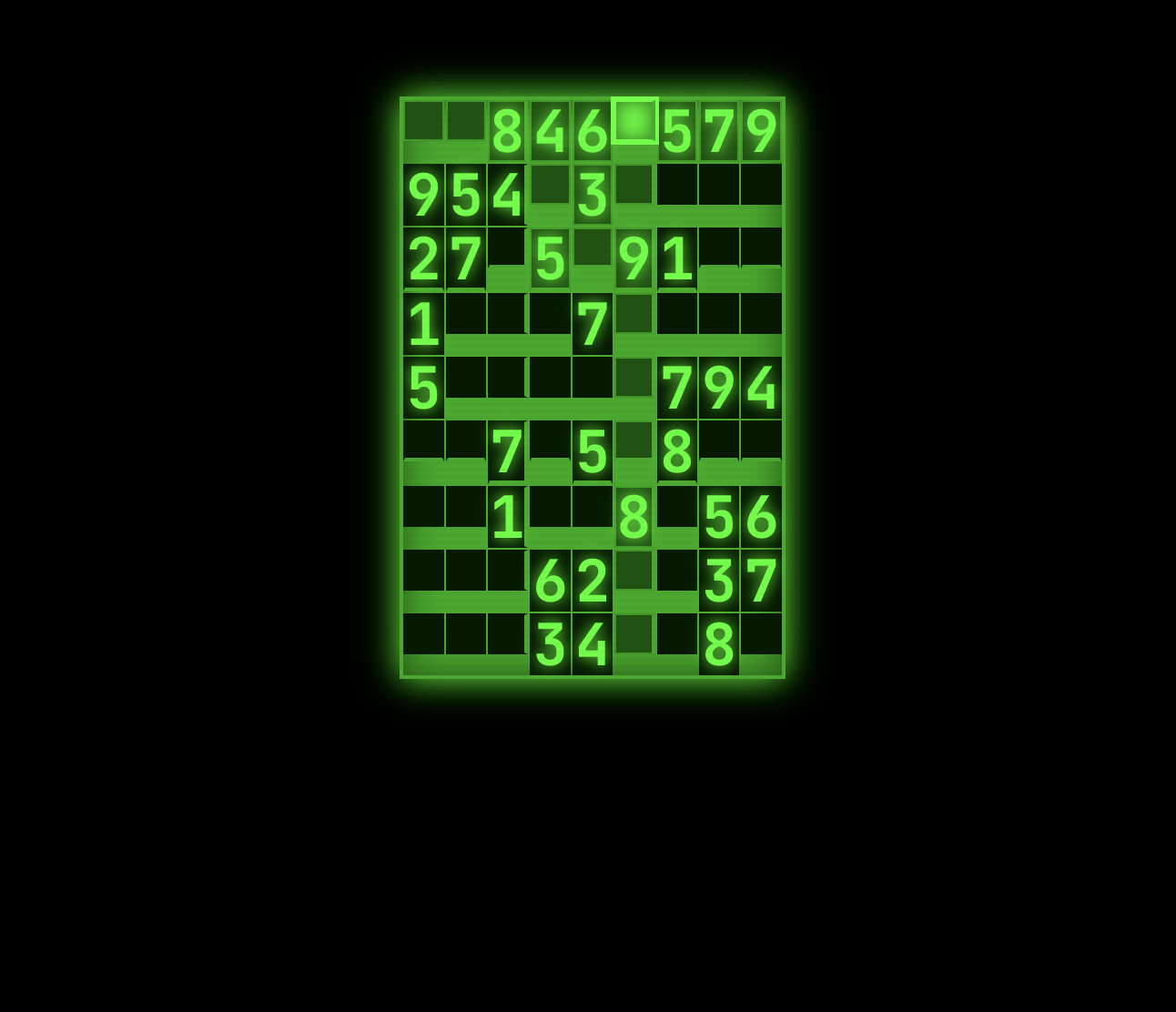
The layout started fully vertical. Timer, game states, new game button, everything stacked in a column like a terminal output.
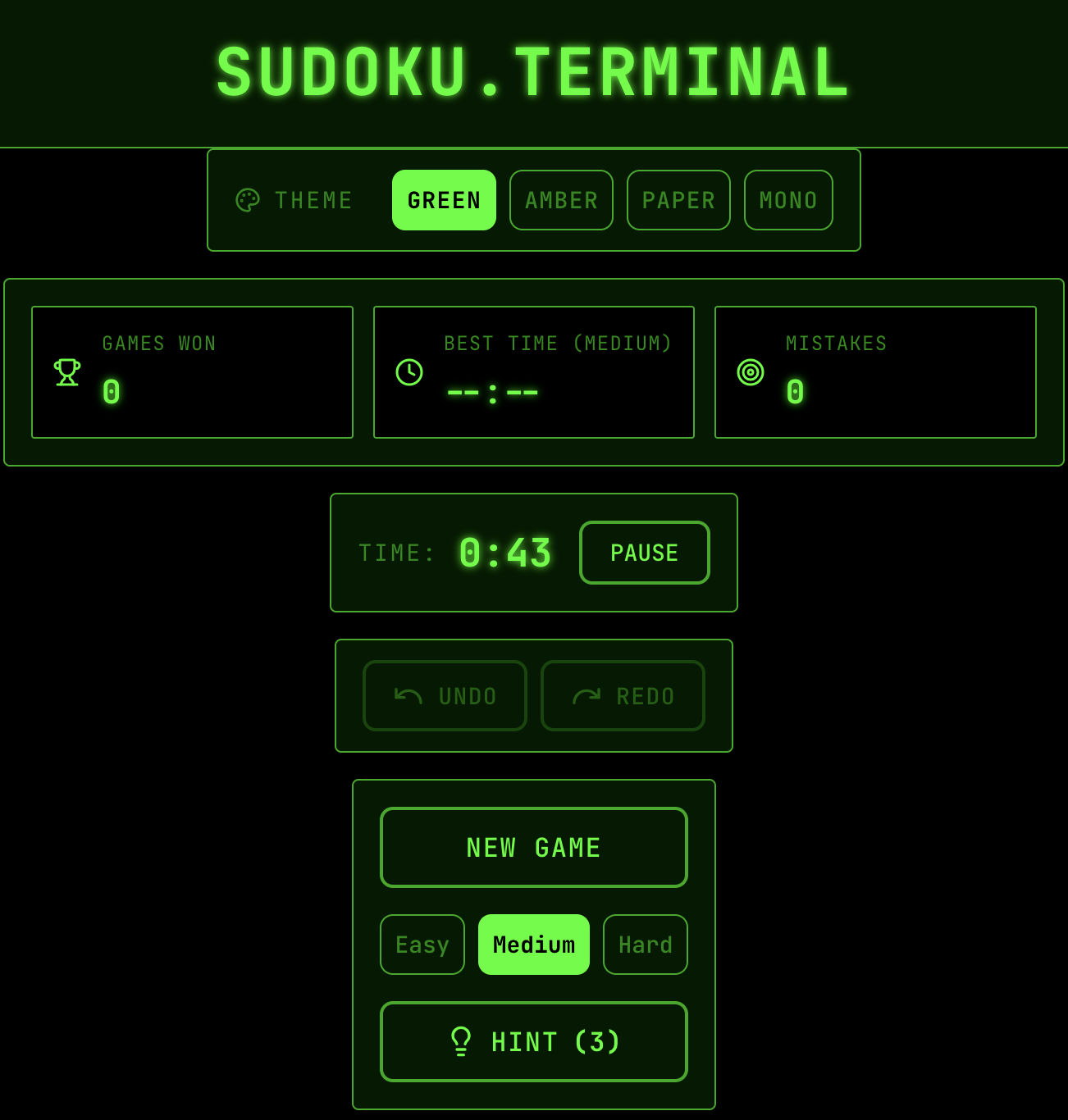
It looked cool but it wasn’t great to actually play. Sudoku needs you to see the whole grid at once, scan rows and columns quickly, and tap cells without thinking about where things are. The terminal aesthetic fought against that. As I iterated, the design drifted more toward functional and clean. Still dark themes available, still has that vibe, but the layout prioritizes usability now.
Themes
The light theme is closest to NYT and probably the most legible. The terminal themed ones look cool but need more polish for accessibility. Getting the colors right while maintaining enough contrast for a game where you’re staring at numbers is harder than I expected. Dark backgrounds with colored highlights can look great but still strain your eyes after twenty minutes. Especially with the glow effect I was using.
Games Page
I also built a games landing page site with a pixel art banner. Soccer ball bouncing, Rubik’s cube floating, Queen of Hearts winking.
Play
The game is live at sudoku.kahdev.me. Three difficulty levels, eight themes, auto notes (I called it notes rather than candidate), pencil mode, undo/redo, hints, keyboard navigation. Should keep her busy for a while. I hope this can hold her interest like the NYT version.